LeRobot SO-100
React js Controller
A custom-built robotic arm controller powered by React. The SO-100 is a 6-DOF open-source arm with 3D-printed structural components and — in a non-standard choice — Waveshare 30KG serial bus servos instead of the Feetech motors used in virtually every other SO-100 build. The browser talks directly to an Arduino Mega via Web Serial API: no server, no middleware.
The long-term goal is ambitious: build a full documentation layer that lets an AI understand every motor, joint limit and capability of the arm, so that complex operations can be prompted in natural language directly from the browser and executed on the physical robot in real time.
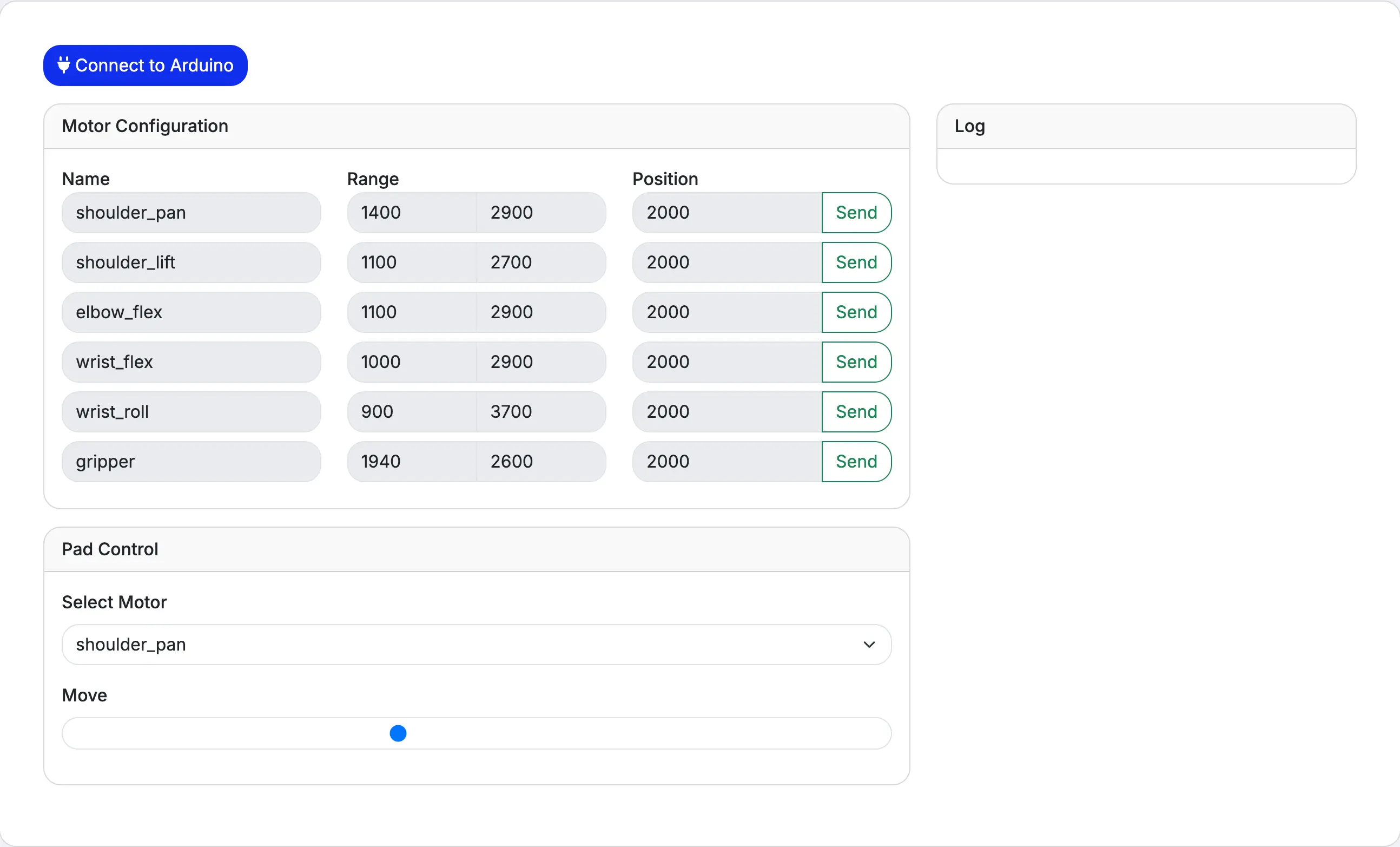
The Control Interface
A React-based control panel that connects directly to an Arduino via the Web Serial API. Each motor can be configured individually with custom ranges and target positions. A gamepad-style pad control allows smooth real-time movement of any selected joint.
How It Works
Browser
The React app runs entirely in the browser. Motor configurations, positions and movement commands are managed through React state and dispatched as serial messages.
Web Serial API
No backend needed. The browser communicates directly with the Arduino board over USB using the Web Serial API, sending position commands as structured byte sequences.
Arduino + Servos
The Arduino receives serial commands and drives a Waveshare servo controller board, translating position values into PWM signals for each of the 6 STS3215 servo motors.
Bill of Materials
The full parts list for this build. All structural parts are 3D-printed following the SO-ARM100 design. This is likely the only SO-100 build running on Waveshare 30KG serial bus servos rather than the standard Feetech motors.
The Hardware
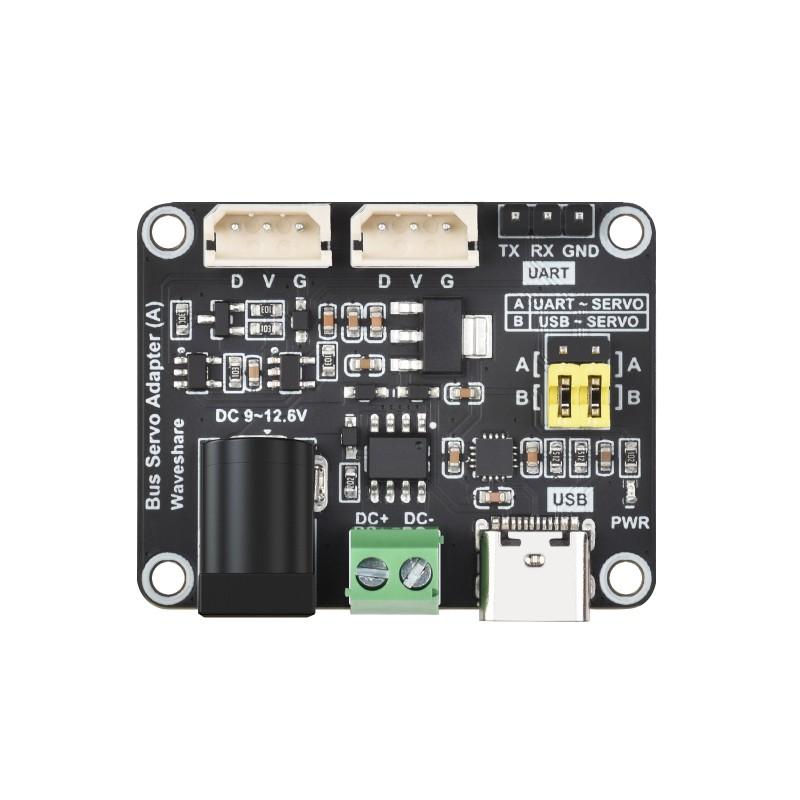
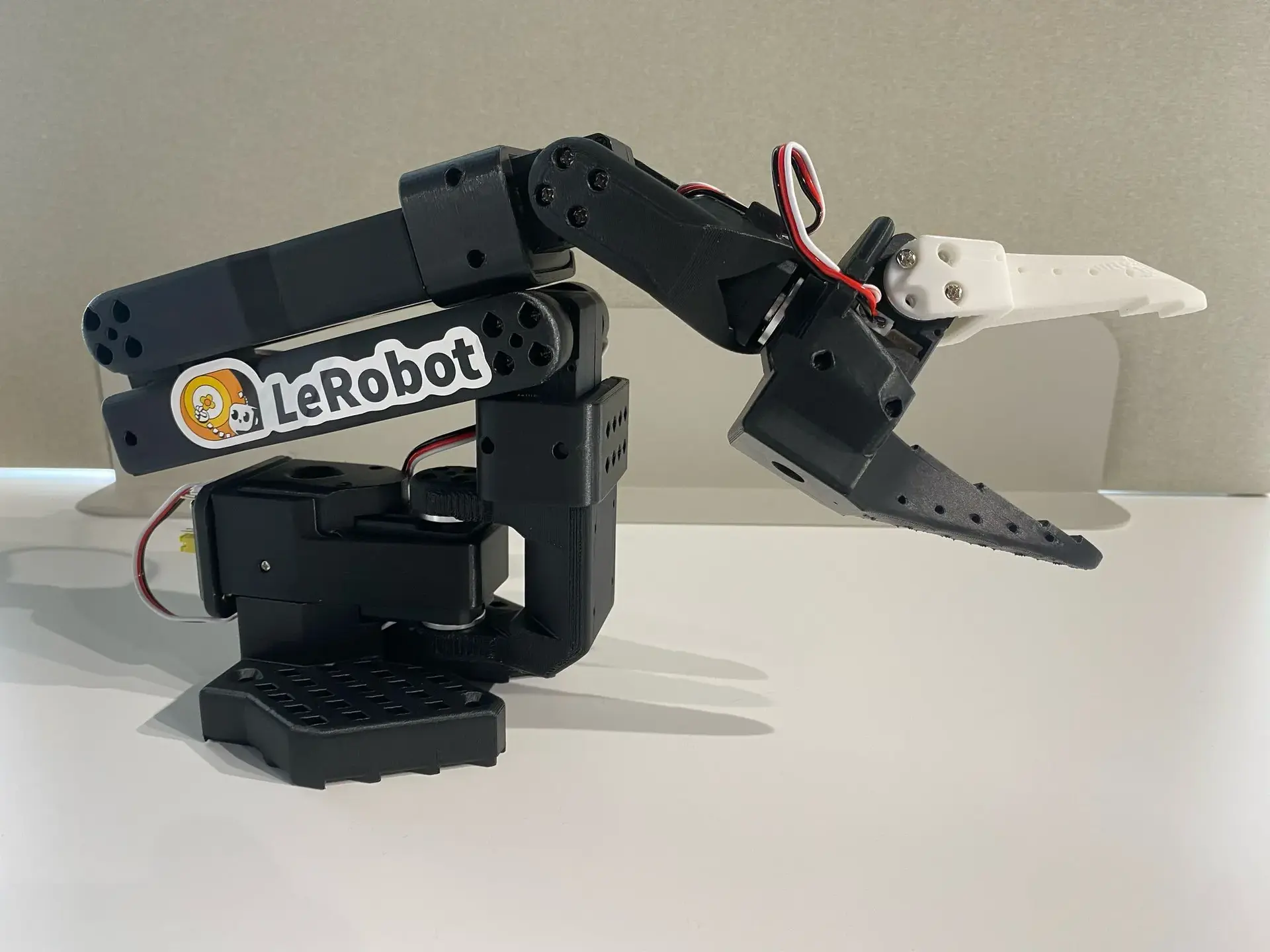
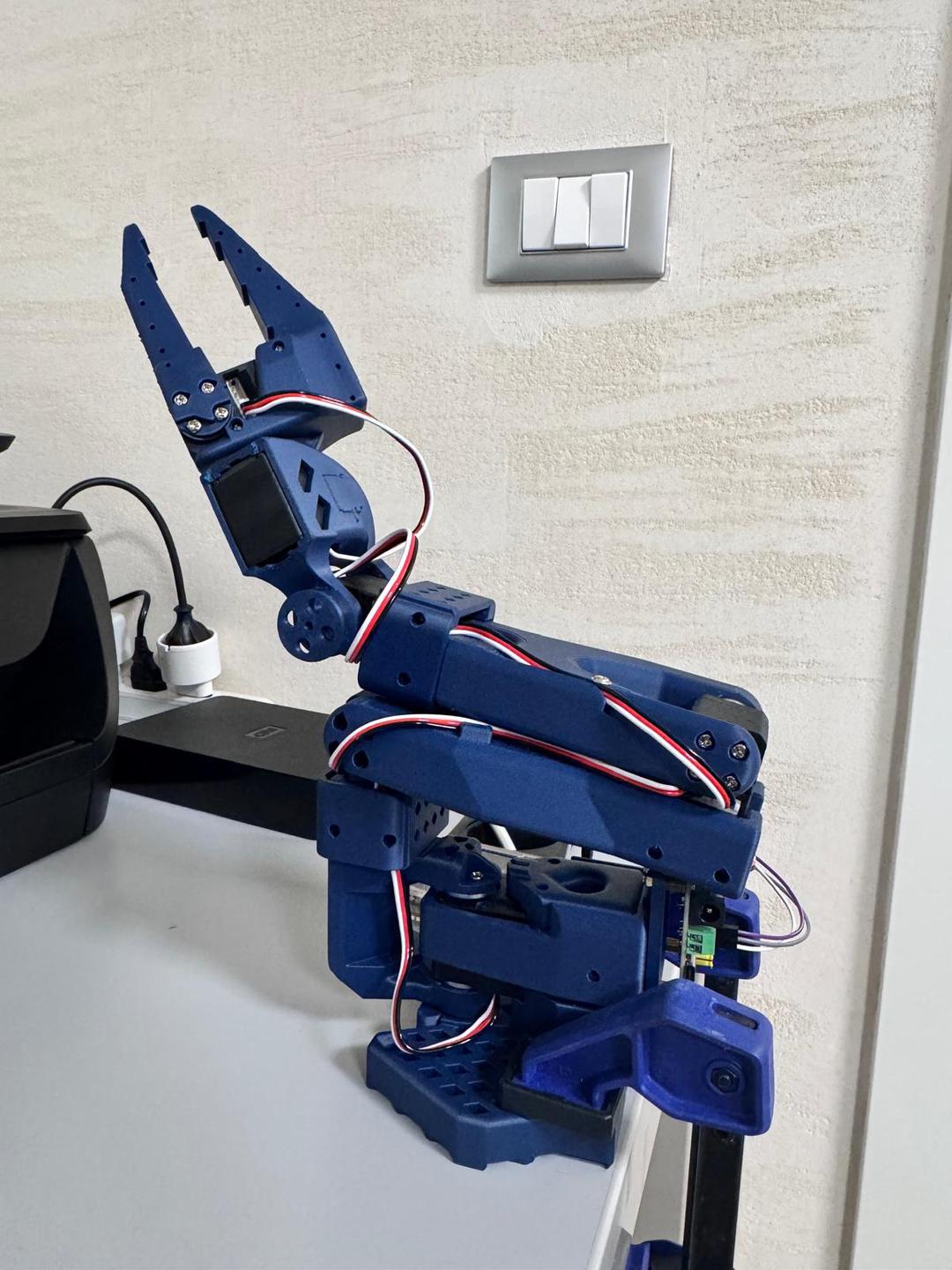
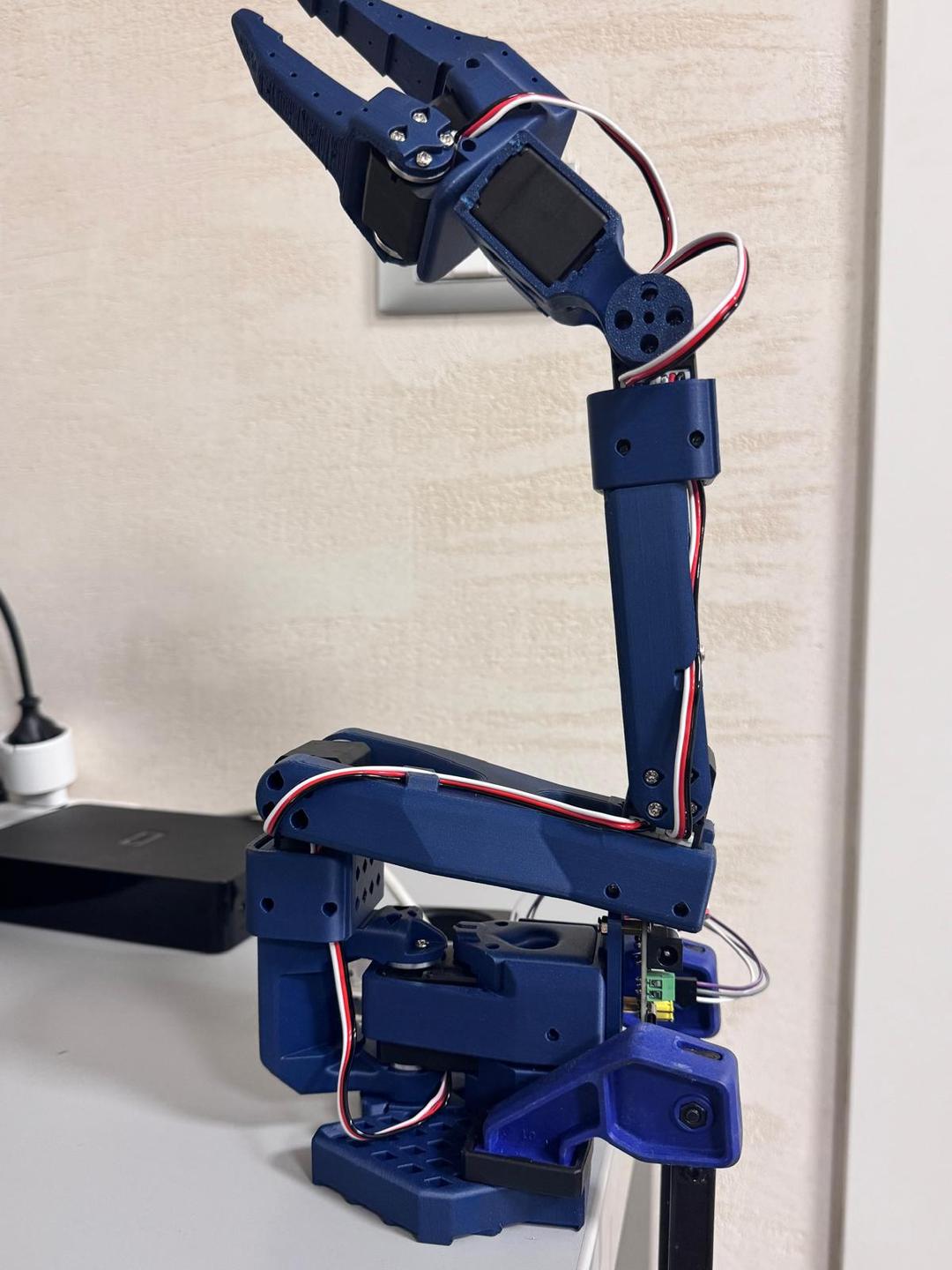
Every structural piece of the arm is 3D-printed from the SO-ARM100 open-source files. The build uses 6 Waveshare 30KG serial bus servos — a deliberate departure from the Feetech STS3215 motors found in standard SO-100 builds. A Waveshare servo driver board handles communication across all 6 joints: shoulder pan, shoulder lift, elbow flex, wrist flex, wrist roll, and gripper. An ESP32 board and a UVC camera complete the hardware setup.
Motor Configuration
Each joint has its own range limits and default position. The interface allows sending individual commands per motor or controlling them smoothly via the pad controller.
| Motor | Min | Max | Default |
|---|---|---|---|
| shoulder_pan | 1400 | 2900 | 2000 |
| shoulder_lift | 1100 | 2700 | 2000 |
| elbow_flex | 1100 | 2900 | 2000 |
| wrist_flex | 1000 | 2900 | 2000 |
| wrist_roll | 900 | 3700 | 2000 |
| gripper | 1940 | 2600 | 2000 |
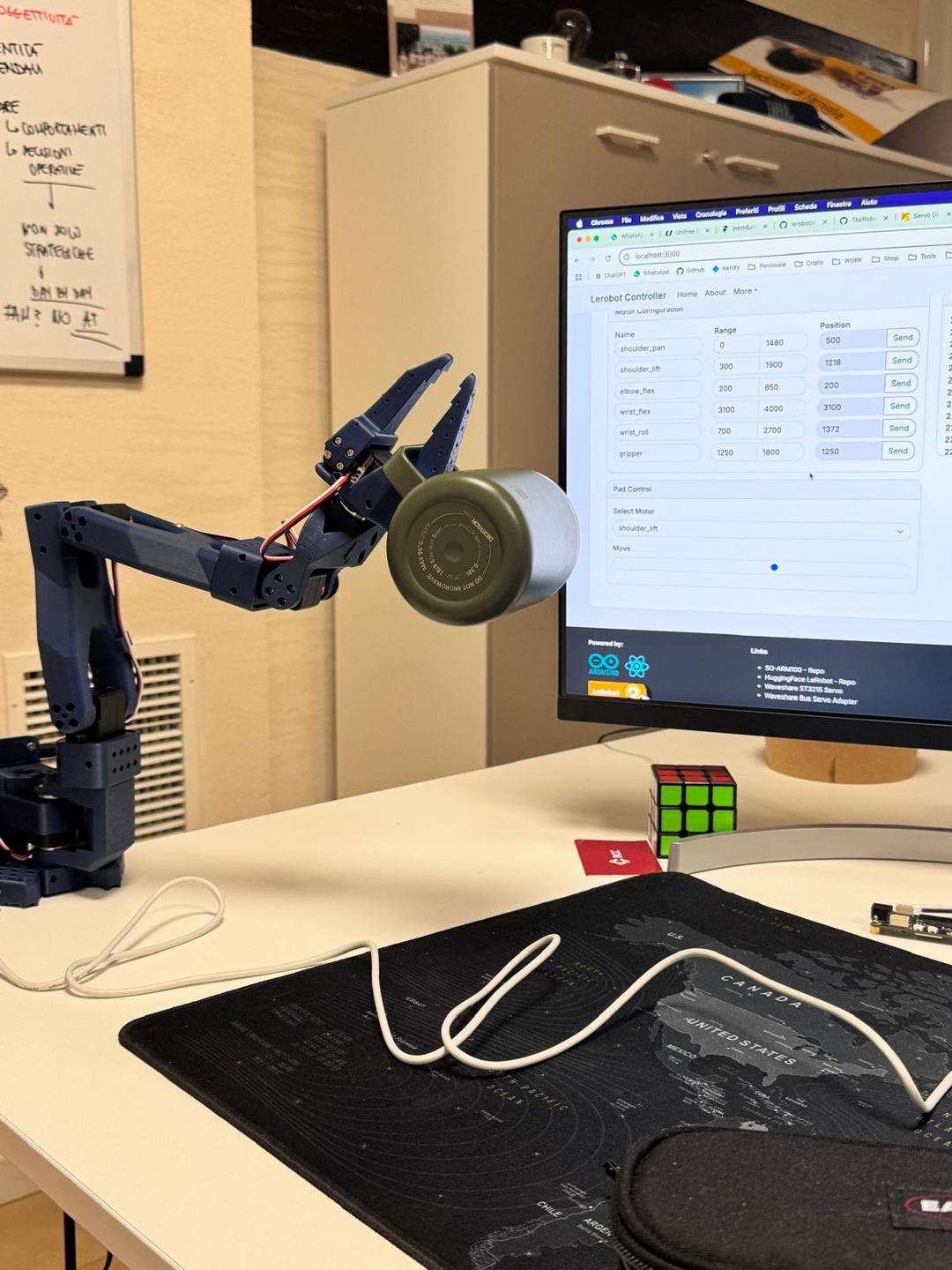
The Result
The final assembled arm, controlled entirely from a React interface in the browser.
Roadmap
The end goal: an AI that knows every motor, joint limit and capability of the arm, executing operations prompted in natural language directly from the browser.
Hardware Assembly
3D print all structural parts, assemble the SO-100 arm with Waveshare 30KG servos and wire the motor control board.
React Controller
Build a browser-based control panel with per-motor configuration, gamepad-style pad control and real-time serial communication via Web Serial API.
Camera & Vision
Integrate the UVC camera feed into the browser interface for visual feedback during operation.
AI Documentation Layer
Create a structured knowledge base describing every motor, joint range, coordinate frame and operational constraint of the arm.
Prompt-to-Action
Connect an LLM to the documentation layer so that natural-language prompts typed in the browser are translated into motor commands and executed on the physical robot in real time.